Embedded Mail
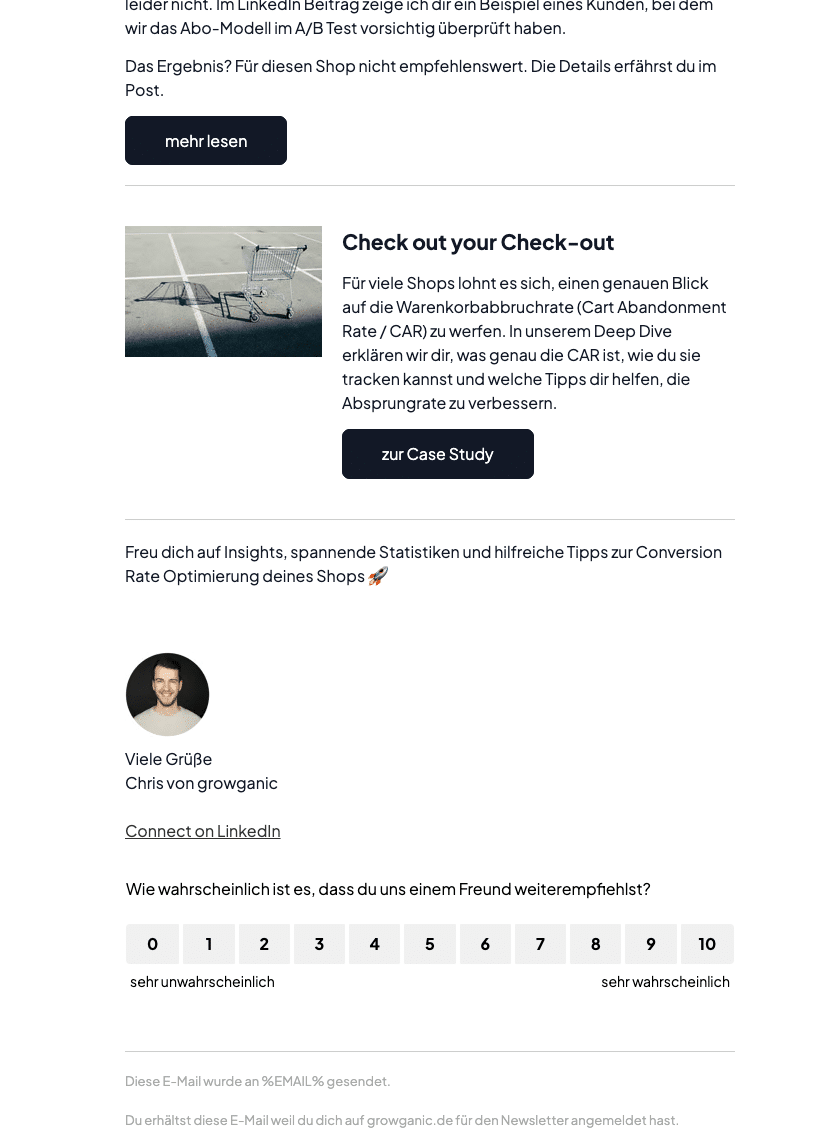
The Embedded Mail survey type allows you to start a survey directly within an email.
You no longer need to link to a separate survey via a button in your emails; instead, you can begin surveying your users directly within the email.
Requirements
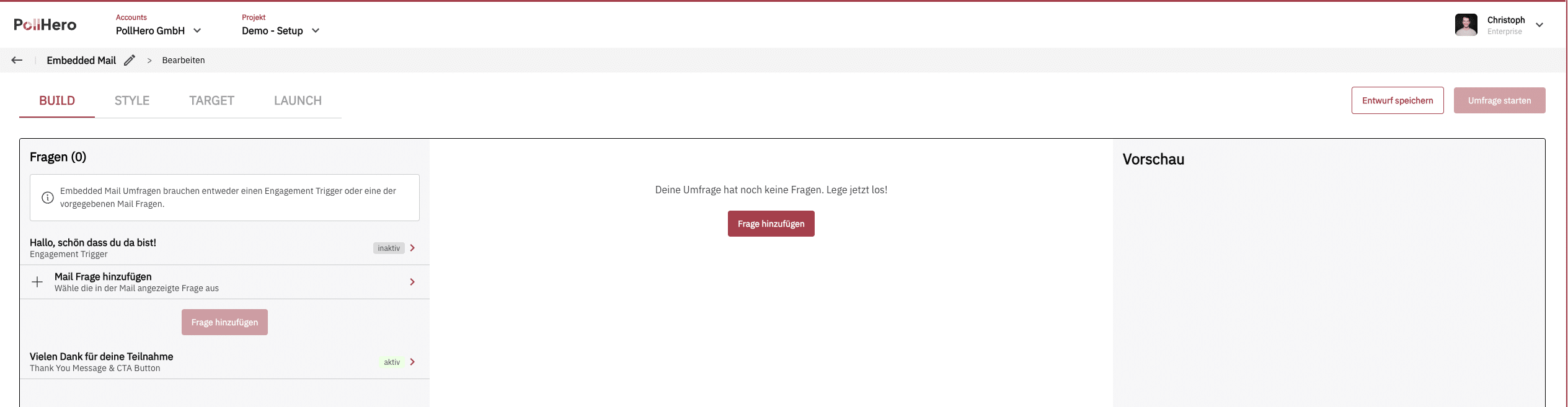
Due to technical constraints, a survey in an email can only begin in one of two ways:
- with an Engagement Trigger or
- with an entry question that is displayed directly in the email
The vast majority of email programs severely restrict the use of HTML and CSS. Therefore, due to technical constraints, only six question types can be displayed directly in the email: Single Select, Rating Scale, Net Promoter Score (NPS), Customer Satisfaction Score (CSAT), Customer Effort Score (CES) and Emojis.
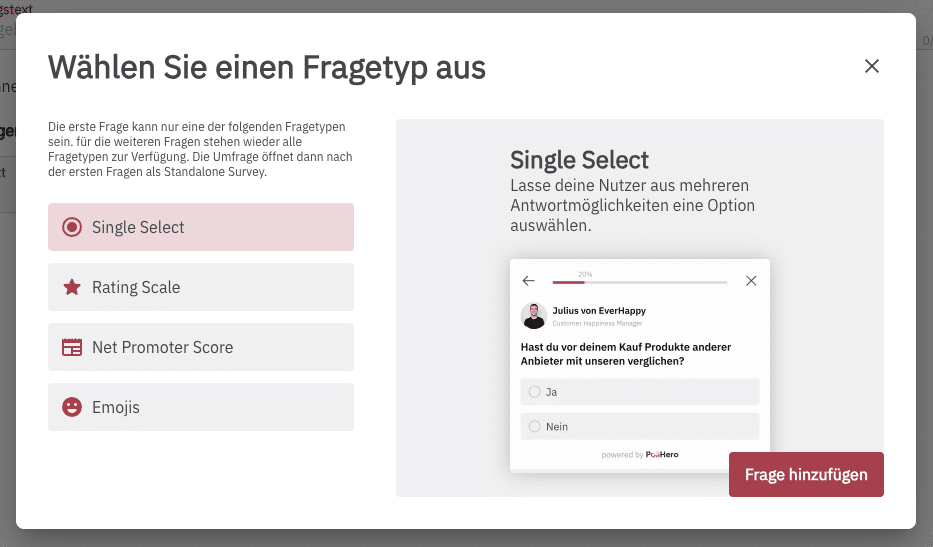
If you are not using an Engagement Trigger, the Embedded Mail survey must begin with one of these six question types.
(For a higher response rate, we recommend not using the Engagement Trigger.)
Additionally, a thank-you message is mandatory.
As soon as users click on an answer option within the email, they are directed to a PollHero URL so that we can save the response to the question.
Follow-up questions, logic
You can work with follow-up questions and logic in the Embedded Mail survey as usual.
If there are follow-up questions, they are displayed on the PollHero URL: the first question appears directly in the email, after that the survey continues as a Stand-Alone survey with all question types and logic.
Custom CSS
Due to technical constraints, when using Custom CSS, you need to address the selectors much more precisely than with Onsite surveys or Embedded surveys.
A complete overview of all selectors can be found in the Custom CSS documentation.
Target
Here too, you can set how often users should see the survey – however, in a slightly modified form.
Additionally, due to technical constraints, a survey that has been integrated into an email can no longer be hidden. Therefore, the survey remains visible, but the user’s responses will either be overwritten or not, depending on the settings. For example, if a user has completely filled out the survey and clicks on the same survey again after some time, they will be immediately directed to the thank-you page.
Launch
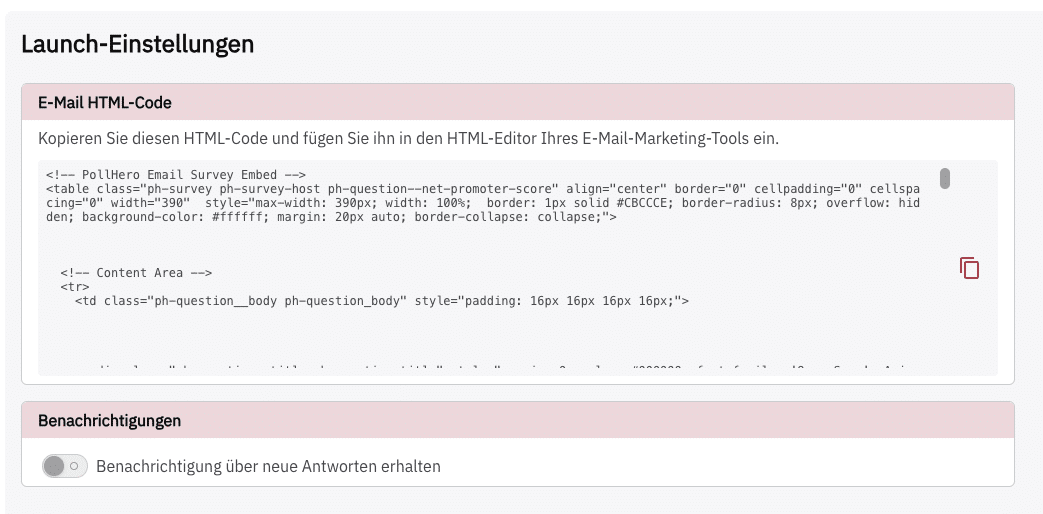
In the Launch tab, a comprehensive HTML code is generated that you can insert into your email via copy & paste.
Learn more about creating the other survey types:
Reporting
For Embedded Mail surveys, an impression is only counted once recipients click an answer in the email. PollHero does not measure whether or how often the email was opened. The answer from the email is saved immediately; respondents then answer any further questions on the survey page. Learn more in How we count impressions, responses and rates.