Users see the survey
These settings apply to Onsite surveys and Embedded surveys.
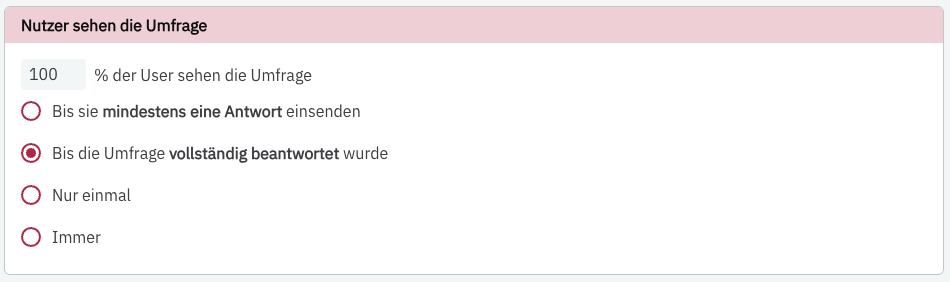
Set how many users see your survey and how often. You can decide whether 100 % of all users see your survey or a smaller percentage. If you specify that only 25 % of all users see your survey, these 25 % will be selected randomly – for example, only 250 of your 1,000 visitors.
The selection is fixed per user and survey: anyone who is among the 25 % once sees the survey on all matching pages. Anyone who is not sees it on no page, not even after reloading.
You also have the following options:
- Users see your survey until they submit a response
- Users see the survey until they complete it
- Only once (“only once” means once per user)
- Always
If you have set the survey to be always visible, a user can fill out the survey multiple times. Each completed survey then counts as a separate participation, and the earlier responses are kept. If a user drops off and sees the survey again later, they continue their existing participation. Learn more in How we count impressions, responses and rates.
You can find out which cookies or localStorage entries PollHero uses for this in Use of cookies & localStorage.