General targeting
For both Onsite surveys and Embedded surveys, you can use PollHero’s general targeting.
Here you can add rules for where and to whom your survey is displayed on your website, or whether Embedded surveys should be loaded.
If you don’t set a rule, the survey will be displayed on all pages, as the default rule is Seiten-URL entspricht RegEx .*.
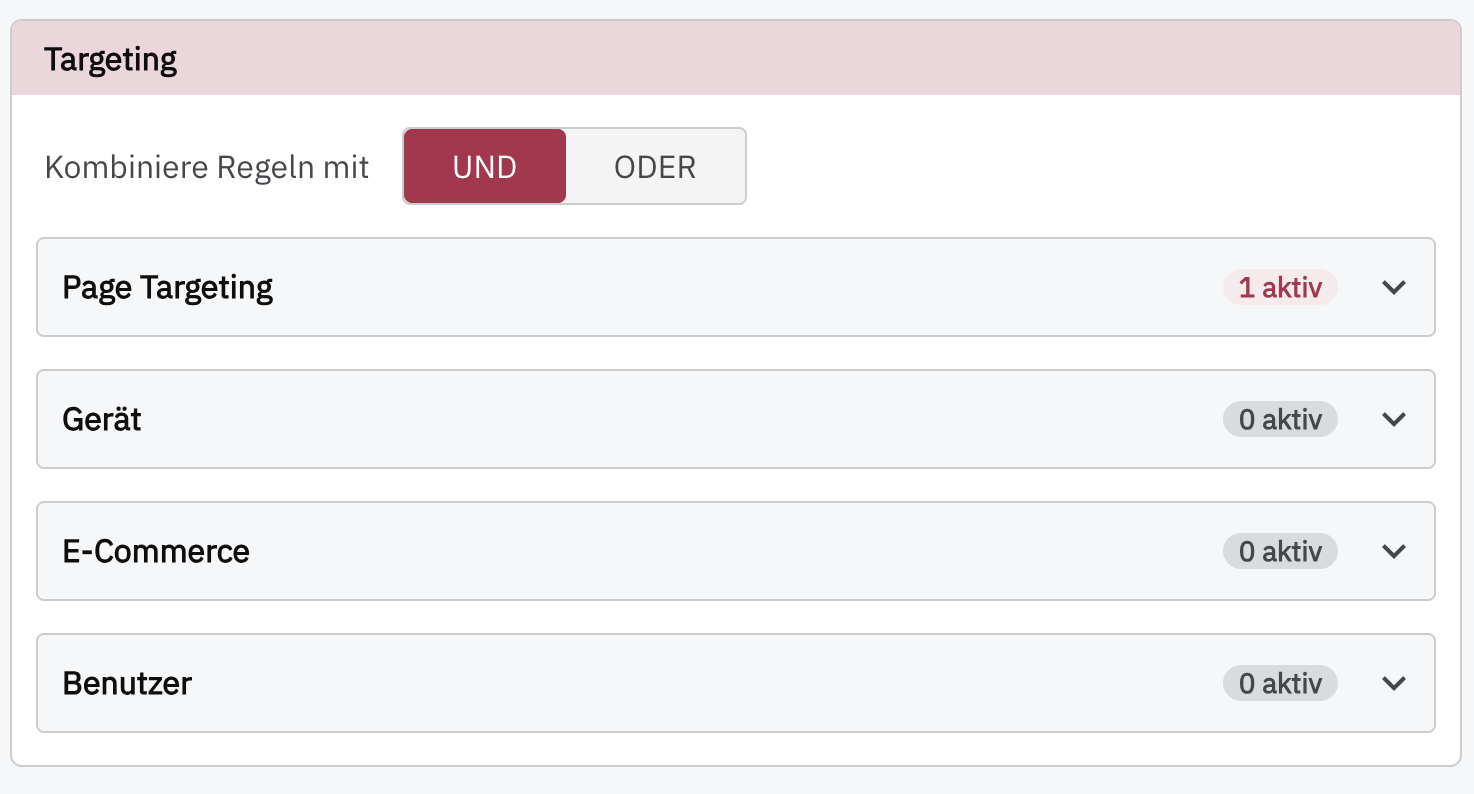
Page Targeting
You can decide whether page targeting should follow an AND logic or an OR logic.
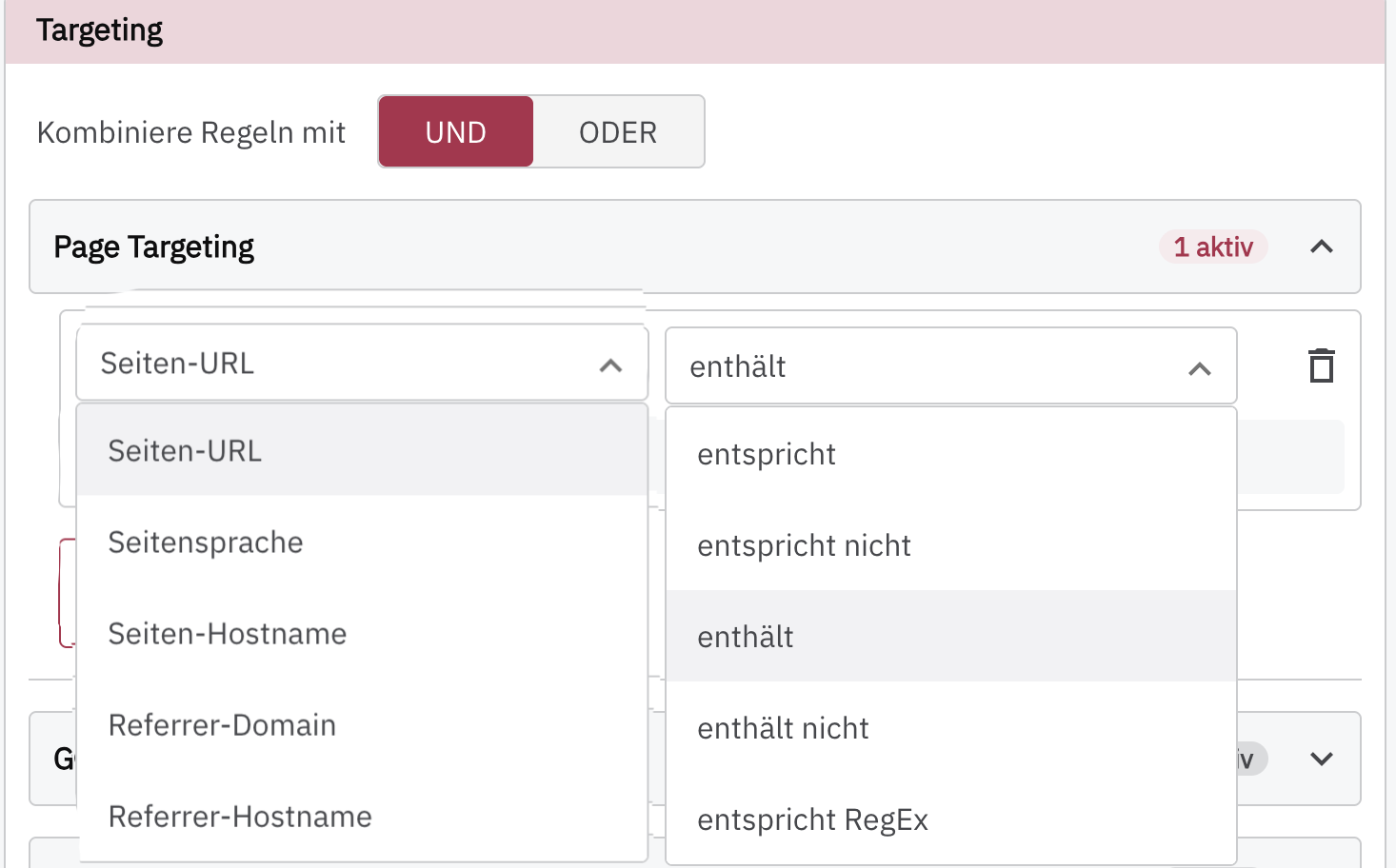
Page targeting can be applied to different pages:
Page URL: Select specific URLs, such as a particular product, the order confirmation page, or a thank-you page.
Page language: Target by page language if your website can be displayed in different languages.
Page hostname: You can target the survey by hostname.
Referrer domain: You can specifically include or exclude users who arrived via a particular referral (social, direct, ads, etc.) on a domain basis.
Referrer hostname: You can specifically include or exclude users who arrived via a particular referral (social, direct, ads, etc.) on a hostname basis.
| Setting | PollHero reads | Expected value / example | Operators |
|---|---|---|---|
| Page URL | window.location.href, without trailing / | Full URL, e.g., https://shop.example.com/products/shoe?color=red | contains, does not contain, equals, does not equal, RegEx |
| Page language | document.documentElement.lang | The exact value of <html lang="…">, e.g., de or de-DE | equals, does not equal, RegEx |
| Page hostname | window.location.hostname | Hostname without protocol and path, e.g., shop.example.com | equals, does not equal, contains, does not contain, RegEx |
| Referrer domain | new URL(document.referrer).hostname | Hostname of the referrer URL, e.g., www.google.com; empty if no referrer | equals, does not equal, contains, does not contain, RegEx |
| Referrer hostname | document.referrer | Full referrer URL, e.g., https://www.google.com/search?q=…; empty if no referrer | equals, does not equal, contains, does not contain, RegEx |
For pages, you have the following options:
contains: The URL contains certain slugs, so you can, for example, display the survey only on category pages. The survey will then be displayed on all pages that follow the format www.yourwebsite.com/category/, including www.yourwebsite.com/category/product1/.
does not contain: If you want to display the survey on most pages but not on all pages, you can enter the relevant slugs here. For example, you can exclude your About Us page, your privacy policy page, or your blog. Here too, all URLs that contain the slug will be excluded.
matches exactly: Enter a URL here on which you want to display the survey.
does not match: Enter a URL here on which you do not want to display the survey.
matches RegEx: The field expects a regular expression (RegEx).
Device
Target users based on their device or screen width.
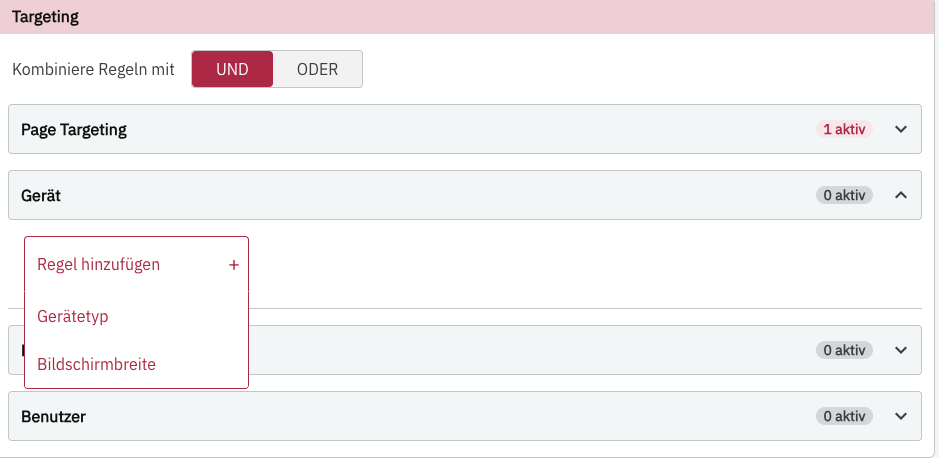
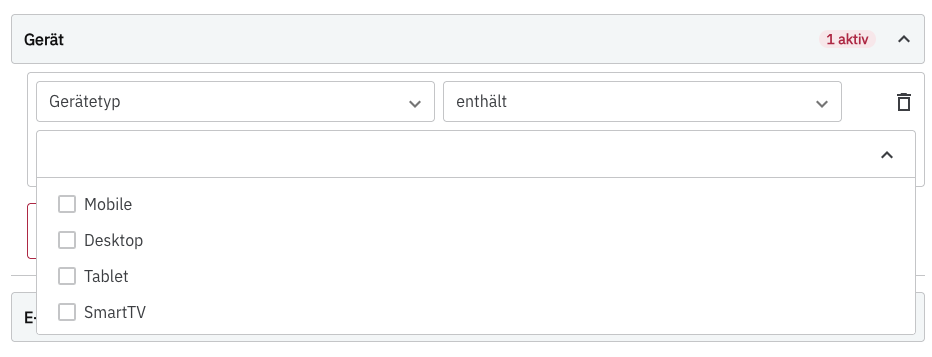
You can target Mobile, Desktop, Tablet, and SmartTV.
| Setting | PollHero reads | Expected value | Operators |
|---|---|---|---|
| Device type | Screen width and user agent | Mobile, Tablet, Desktop, or SmartTV | contains, does not contain |
| Screen width | window.innerWidth | Integer in CSS pixels, e.g., 768 | >, <, ≥, ≤, between |
If no specific device type is selected, the survey will be loaded on all devices.
E-commerce
Target based on different e-commerce features:
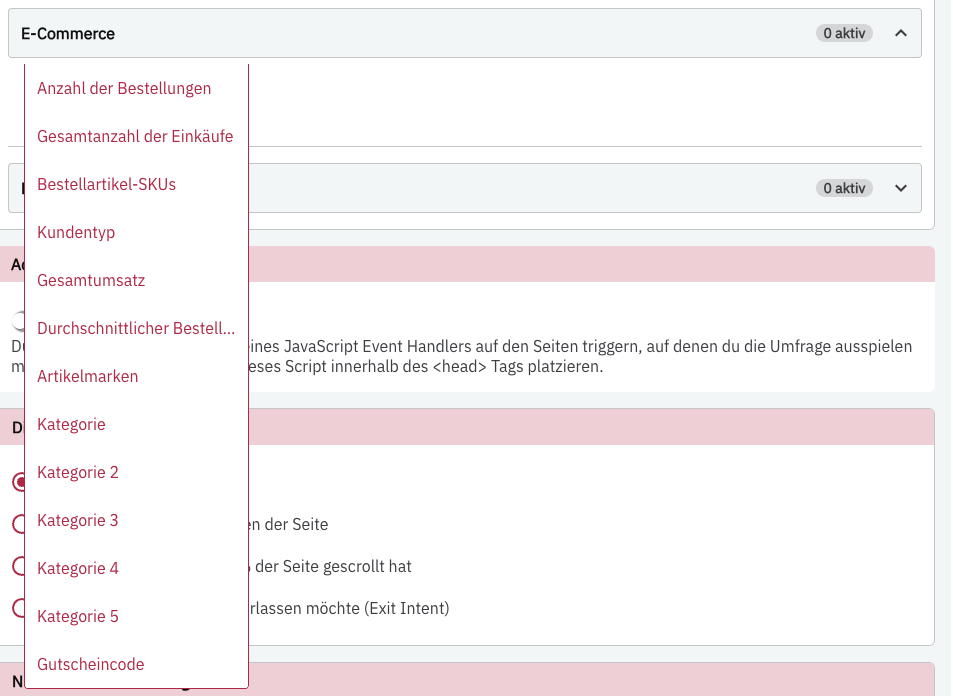
You can currently integrate PollHero with KLAR and link your data that way.
E-commerce rules always evaluate the data of the identified user. For them to work, identify and the order must be assigned to the same PollHero user ID. Monetary values are processed as numbers with a dot as the decimal separator, for example 1249.99 (not 1.249,99).
| Options in PollHero | Field/origin | Expected value | Operators |
|---|---|---|---|
| Total number of purchases | Customer metric total_purchases | Non-negative integer, e.g., 8 | equals, does not equal, >, <, ≥, ≤, between |
| Total revenue | Customer metric total_revenue | Number, e.g., 1249.99 | >, <, ≥, ≤, between |
| Average order value | Customer metric total_aov | Number, e.g., 156.25 | >, <, ≥, ≤, between |
| Customer type | customer_type from identify | new or returning | equals, does not equal |
| Order item SKUs | items of an order | SKU/item ID as string, e.g., SKU-456 | equals, does not equal, contains, does not contain |
| Item brands | items[].item_brand | Brand name as string, e.g., Nike | equals, does not equal, contains, does not contain |
| Category | items[].category | Category name as string, e.g., Shoes | equals, does not equal |
| Category 2–5 (limited) | See note below | String, e.g., Men | equals, does not equal |
| Coupon code | purchase.coupon or items[].item_coupon | Code as string, e.g., WELCOME10 | equals, does not equal, contains |
Note on Number of orders (ordersCount): This option is currently not available in Onsite targeting. For Onsite targeting, always use Total number of purchases (total_purchases) instead.
For between, exactly two numbers are entered as comma-separated lower and upper limits, e.g., 5,10 (without spaces). The limits are inclusive.
Important regarding equals vs. contains for items, brands, and coupons: PollHero internally aggregates SKUs, brands, coupons, and categories of all of a customer’s orders into comma-separated lists (e.g., SKU-1,SKU-2). A rule with equals checks for an exact match of the entire list and therefore only applies if the customer has exactly this one value in total. As soon as a customer has purchased multiple items, brands, or coupons, equals will fail. For reliable matching of SKUs, brands, and coupons, always use the contains operator.
Limitation for Category 2 to 5: Currently, PollHero checks the same value for Category 2 to Category 5 as for the main category (items[].category). Additionally, only the equals operator is available for categories. If a customer has purchased items from multiple categories, equals will fail.
Targeting right after a purchase
If you report a purchase to PollHero with the purchase tracking script (event: "purchase"), PollHero immediately adds it to the user's metrics (total number of purchases +1, total revenue + order value, average order value recalculated, plus items and coupon code). PollHero then checks the surveys on the page again. A survey that should only appear from the first purchase onwards, for example, can therefore already be shown on the order confirmation page.
The same order (same transaction_id) is only counted once within 60 minutes. If someone reloads the order confirmation page, the purchase is not recorded twice.
Users
In the Users section, you can specifically target certain users or user groups. You have access to the user’s country and language, as well as custom attributes (user attributes).
If a user is missing an attribute (for example because they are not identified or no country was transmitted), no rule that checks a value applies. This also applies to negated rules such as does not contain or does not equal: the rule Country does not contain DE therefore does not show the survey to users without a country. If you want to target users without a specific attribute, use is not set for custom attributes.
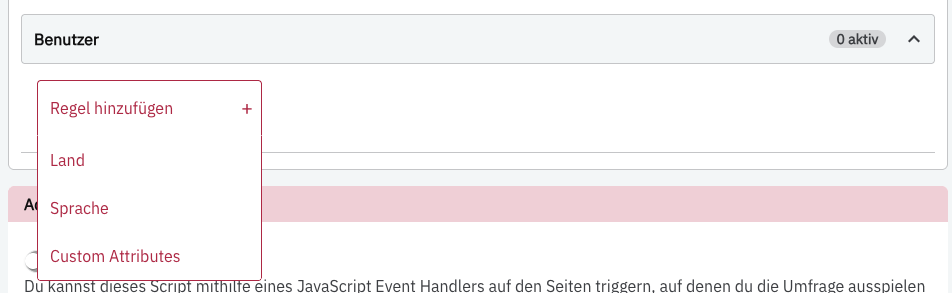
Country
PollHero currently does not validate the country code against a fixed list of countries, but compares the passed text. ISO Alpha-2 codes in uppercase are therefore the binding integration convention. Do not use Germany, DEU, or de if the rule is configured for DE.
Note on the contains operator for country: Even though the operator is called contains in the interface, PollHero internally checks whether the user’s country code contains the entered rule value. Therefore, only store a single country code (e.g., DE) per rule – comma-separated lists like DE, AT will cause the rule not to apply.
| Setting | Expected format | Recommended values | Operators |
|---|---|---|---|
| Country | String in country | ISO 3166-1 Alpha-2 code in uppercase, e.g., DE, AT, CH, US | contains, does not contain |
Language
For targeting by user language, exactly the five values in the following table are provided in the PollHero interface. Do not transmit regional codes like de-DE or en-GB for language; for example, de must be sent for the user rule. This is independent of the page language, which is read directly from the lang attribute and can therefore also contain a regional code.
| Setting | Expected format | Allowed values | Operators |
|---|---|---|---|
| Language | Lowercase language code in language | de, en, fr, es, it | equals, does not equal |
Custom attributes
Custom attributes are passed directly as flat properties in the second argument to PH1.identify (no nested object). equals and does not equal compare the string value; is set and is not set check whether the key exists in the profile.
| Setting | Expected format | Allowed values | Operators |
|---|---|---|---|
| Custom attributes | Additional flat key-value pairs in the attribute object, e.g., has_subscription: true | For equals / does not equal: attribute name and value (e.g., key has_subscription, value true); for is set / is not set: only the attribute name | equals, does not equal, is set, is not set |