Net Promoter Score (NPS)
The Net Promoter Score (NPS) allows your customers to rate you on a scale of 0 to 10. The NPS is primarily a metric that indicates whether customers would recommend a product, service, or company.
With NPS, your customers are categorized into Detractors, Passives, and Promoters. Promoters are customers who rate your business with a 9 or 10, Passives rate you with a 7 or 8, and Detractors with a 0 to 6. The advantage of NPS is that it is very simple yet insightful. You can quickly capture customer sentiment and ask Passives and Detractors follow-up questions about the reasons for their lower ratings.
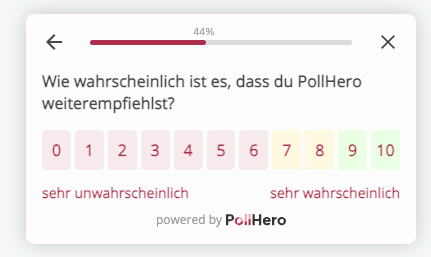
Settings:
- You can set whether the question should be mandatory.
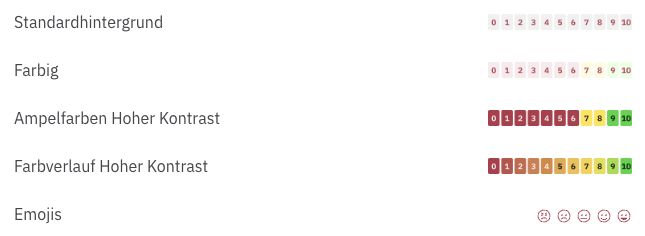
- You can choose whether the NPS scale should be highlighted with colors.
- You can individually customize the minimum and maximum ratings or use the standard labels.
Overall, there are 5 different display formats as the basis for the NPS survey:
Logic: You can add logic with if/then rules:
If NPS is equal to/is greater than or equal to/is less than or equal to Detractor (0–6)/Passive (7–8)/Promoter (9–10),
then show the Thank You Message/close the survey/go to question X.
You can create more than one rule to ask your customers specific follow-up questions based on certain answers.
For example, you can ask Detractors or Passives why they would not recommend you, or thank your Promoters.
Related articles
- Logic example: Rating Scale follow-up (including the difference from NPS logic)
- Reporting: Net Promoter Score (NPS) & Rating Scale
- Use case: Net Promoter Score (NPS)