Reporting: Single Select & Multi Select
The reporting for Single Select and Multi Select shows you how often a specific answer was selected.
Single Select
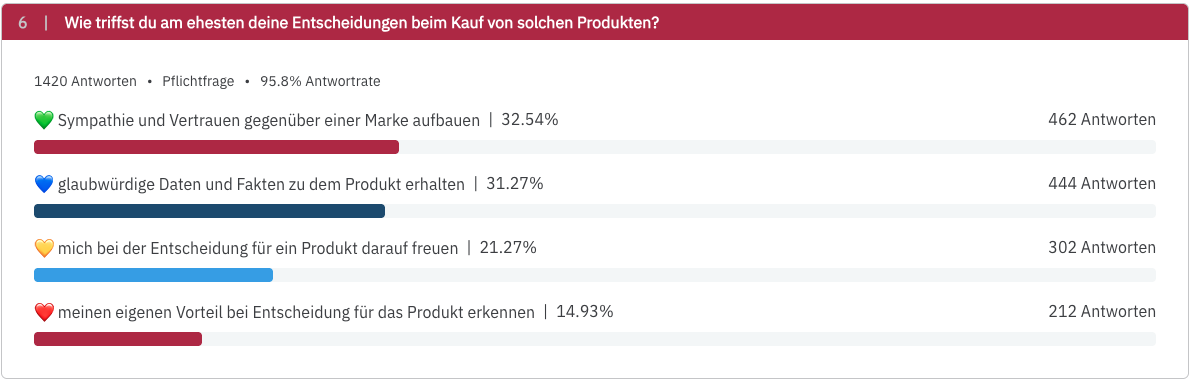
For Single Select questions, you are shown the percentage of respondents who chose each answer. The share is the number of respondents with this answer divided by all respondents who answered the question. The percentages always total 100 %.

Multi Select
Multi Select questions are more complex. You receive more responses and more data, which can sometimes be very close to one another. However, a quick glance already reveals which answers are more significant.
Here, too, the share per option refers to all respondents who answered the question. Because each person can choose several options, the percentages usually add up to more than 100 %. Example: 100 respondents answered, 60 of them chose option A and 50 option B. You then see 60 % and 50 %.
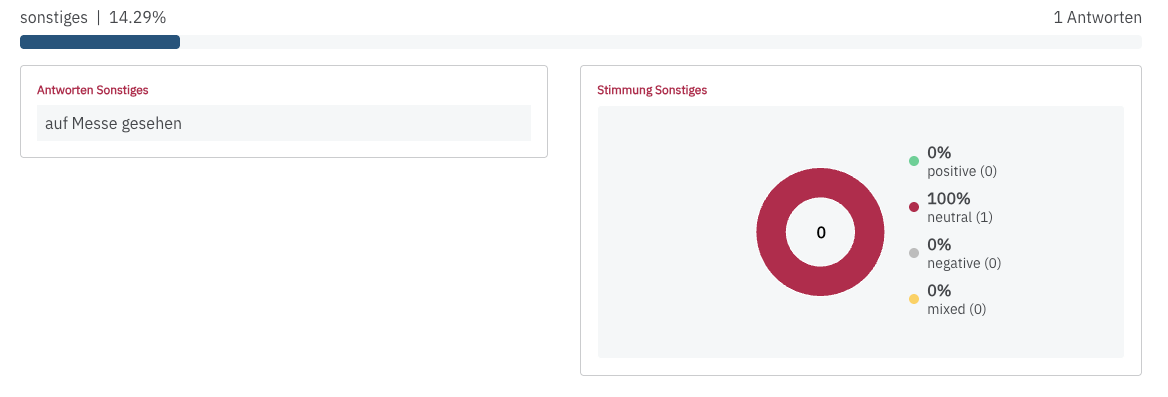
By the way: If you ask a Multi Select question with the Other option and respondents enter a response there, a sentiment will also be displayed.