Survey preview
Thanks to the preview function, you can see your Onsite survey in the context of your own website while you are still creating it.
You can find the survey preview function in the Launch tab.
Here, you also have the option to take the targeting settings into account.
If the option is disabled, the survey will always be displayed immediately (useful for checking the design).
If the option is enabled, you can simulate the exact behavior of the survey as it would feel to website visitors (targeting, trigger behavior).
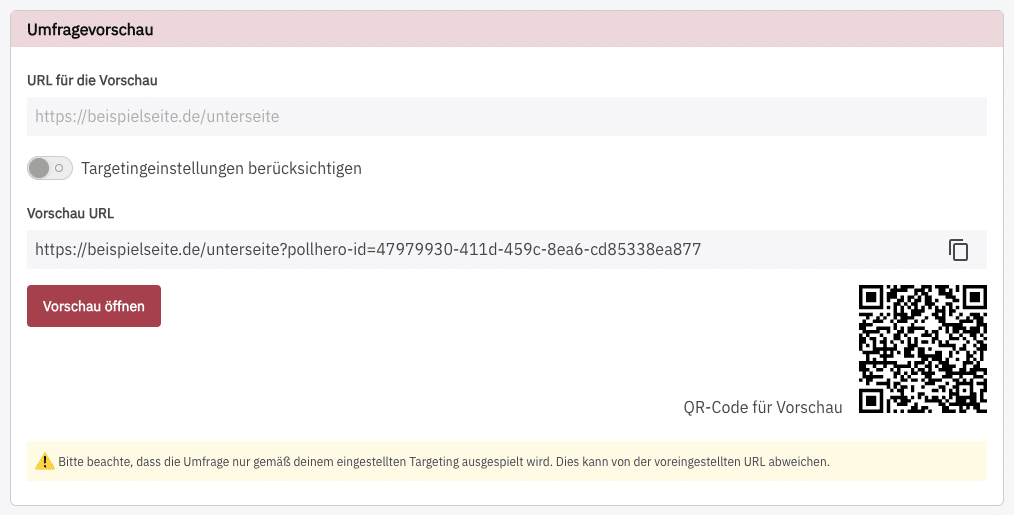
Open the preview either via the button, copy the link into your browser’s address bar, or scan the QR code to view your survey.
Important note regarding the preview:
For technical reasons, the preview only works if the PollHero project script is integrated on the website where you want to view the preview. You can read how to integrate the script in Create project.
Responses you give in the preview are not saved and do not count in the reporting.
Preview of a Stand-Alone survey
For a Stand-Alone survey, the Launch tab shows you a separate preview link. You can also share this link with colleagues who don't have a PollHero login.
- The preview link always opens the survey in preview mode, even if it is already live. Responses are not saved and do not count in the reporting.
- Only the preview link lets you open a survey that is still a draft, paused or ended. In these cases, the regular survey link shows a notice that the survey is not available, even if you are logged in to PollHero.