Cookies & localStorage
In PollHero, you have the option to configure and customize the settings for cookies and localStorage yourself.
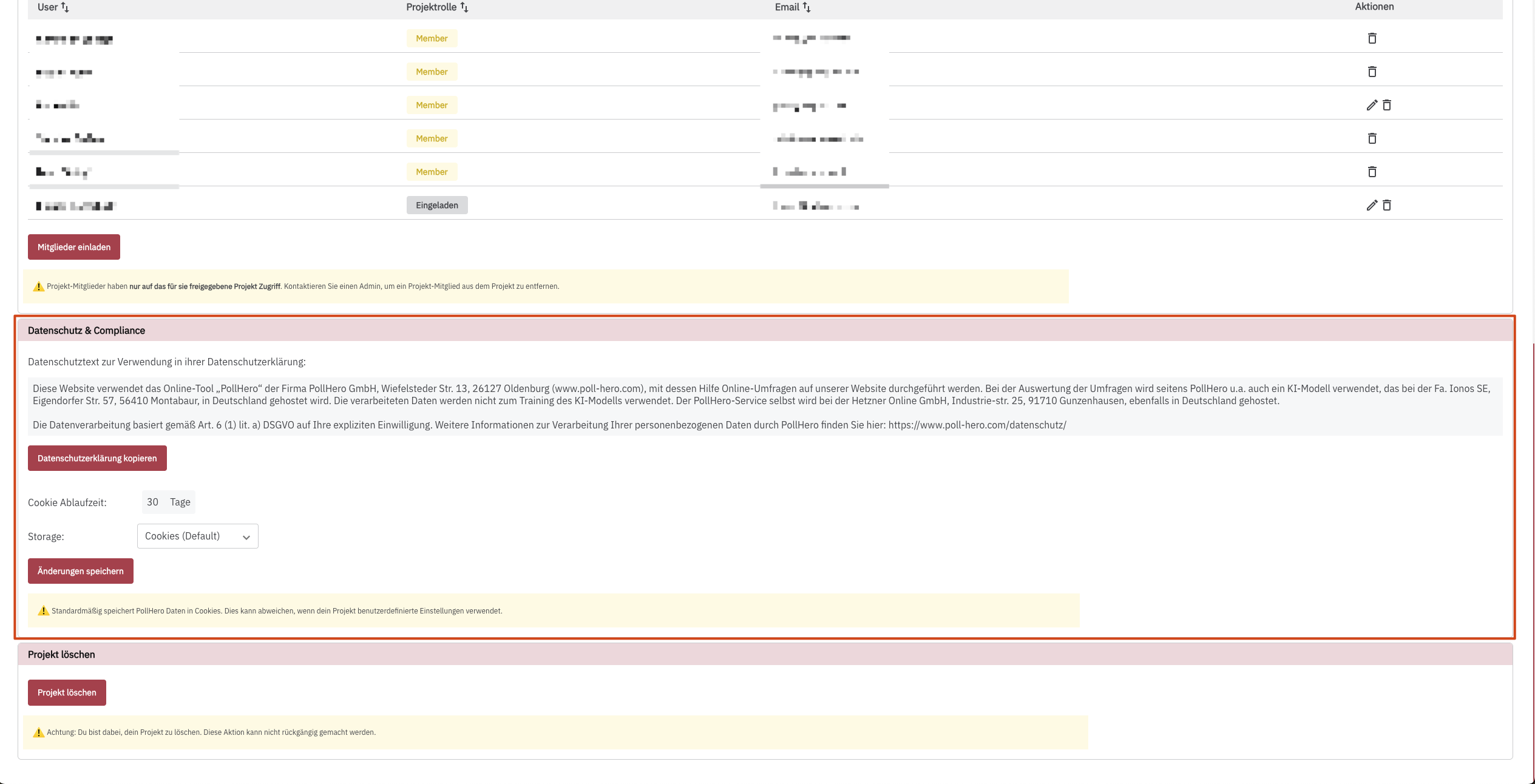
At the bottom of the project settings, there is a box called Data Protection & Compliance.
PollHero recognizes website visitors by an anonymous user ID (ph_user_id). We use it to control how, when, where, and how often a survey is displayed. By default, we store this user ID as a cookie with a lifetime of 365 days.
You can change the storage type of the user ID from Cookies (Default) to localStorage and customize the cookie lifetime to suit your individual needs.
The setting only applies to the user ID. All other information, for example which surveys a user has already seen or completed, is always stored by PollHero in localStorage or sessionStorage. This keeps cookies small, so they don't weigh down requests to your website.
You can find out which cookies or localStorage entries PollHero sets in Use of cookies & localStorage. In the same box, you can also activate PII masking.